


BMW SCANNER PASOFT
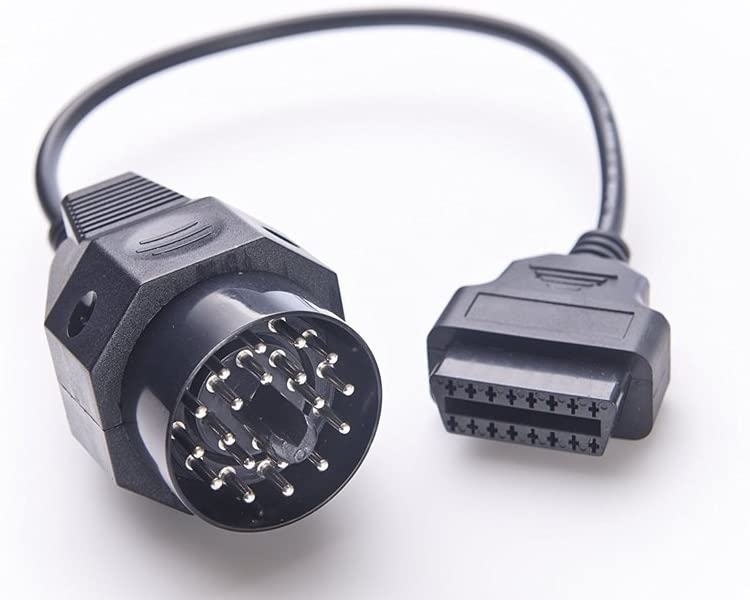
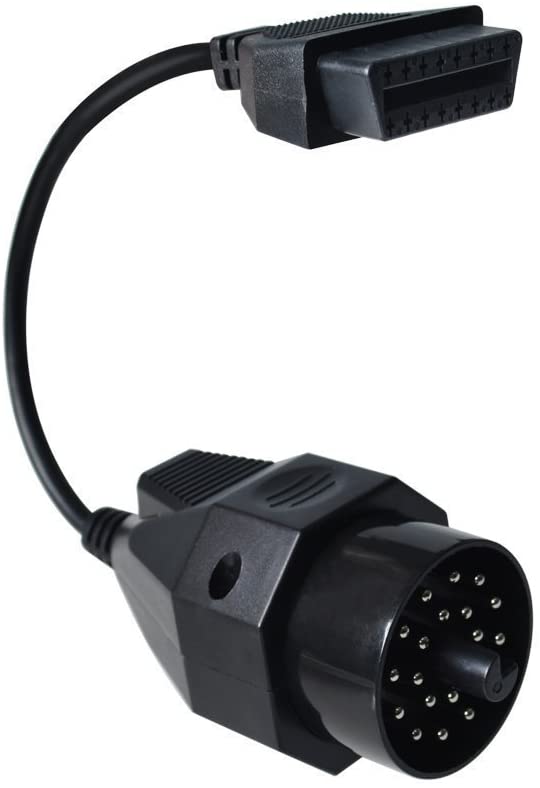
BMW 20-Pin OBD1 to 16-Pin OBD2 Adapter Cable for E36, Z3, E34, E31, E32, E38, E39
BMW 20-Pin OBD1 to 16-Pin OBD2 Adapter Cable for E36, Z3, E34, E31, E32, E38, E39
Couldn't load pickup availability
Connect a 16-pin OBD2 scanner to older BMWs that only have the round 20-pin diagnostic port under the hood. Plug the adapter into the 20-pin port, then plug your scanner into the other end.
- ✅ Fits: E36 / Z3, E34, E31, E32 and earlier E38 / E39 with the 20-pin port
- ✅ Works with: the PASOFT Scanner Kit and other OBD2 scanners that support older BMWs
- ✅ Save 20%: add it to a PASOFT Scanner Kit order and our combo discount applies automatically
This is an adapter only, not a scanner. You'll need a scanner to read codes.
Do I need this?
Open the hood and look at the driver's side strut tower. If you see a round 20-pin diagnostic port, you need this adapter. If your car has a 16-pin OBD2 port under the dash (like the E46, E53, E83 and E85), you don't.
Compatibility
| Model | Chassis | With the PASOFT kit |
|---|---|---|
| 3 Series / Z3 | E36 | Yes |
| 5 Series | E34 | Limited functions |
| 5 Series (earlier cars) | E39 | Yes |
| 7 Series (earlier cars) | E38 | Yes |
| 8 Series | E31 | Not supported; use another scanner |
| 7 Series | E32 | Not supported; use another scanner |
The adapter fits all of these cars. What you can read depends on your scanner. For E31 and E32, use an OBD2 scanner that supports older BMWs, such as the Creator C110/C310.
Works with
- PASOFT Scanner Kit: E36 / Z3, earlier E38 / E39, and E34 (limited functions)
- Other OBD2 scanners that support older BMWs, such as the Creator C110/C310
How to connect
- Find the round 20-pin port on the driver's side strut tower and remove its cap.
- Plug the 20-pin end of the adapter into the port.
- Connect your scanner's OBD2 plug to the 16-pin end of the adapter.
Specs
- Connectors: BMW 20-pin male to OBD2 16-pin female
In the package
- 1 × BMW 20-pin to 16-pin OBD2 adapter cable
FAQ
Is this a scanner? No, it's an adapter. Pair it with the PASOFT Scanner Kit or another OBD2 scanner.
Do I need it for my E46? No. The E46 has a 16-pin OBD2 port, so the PASOFT kit plugs in directly.
Will it make PASOFT work on my E31 or E32? No. The adapter fits, but PASOFT doesn't support those chassis.
Can I return it? All sales are final, so please check your port first. Defective items are replaced; see our refund policy.
Will it fit my BMW?
Will it fit my BMW?
Full support:
- 3 Series E46 (1999–2006)
- 5 Series E39 (1997–2003)*
- 7 Series E38 (1995–2001)*
- X5 E53 (2000–2006)
- X3 E83 (2004–2010)
- Z4 E85 (2003–2008)
- Z8 E52
With the 20-pin adapter:
- 3 Series / Z3 E36 (usually works)
- 5 Series E34 (limited functions)
*Earlier E38 and E39 cars with the round 20-pin port under the hood need the 20-pin adapter.
Not compatible: E90, E60, E70, F-series and newer. Not sure which chassis you have? Email info@bmwpasoft.com with your model and year before ordering.
How do I get the software?
How do I get the software?
The software is an instant digital download. Your link appears on the order confirmation page right after checkout and in your order confirmation email (check spam if you don't see it). The link allows a limited number of downloads, so save the file to your computer.
Setup and support
Setup and support
Requires a Windows 7–11 laptop (Mac not supported). On Windows 10/11, driver signature enforcement must be turned off to install the driver. Follow our setup guide, and remote setup support is included if you get stuck.
Returns
Returns
All sales are final, so please check compatibility before ordering. Defective hardware is replaced. See our refund policy.
Share


Still relevant in 2026. Using on BMW Z3. The driver install on Windows 11 was HARD but if you read the instructions and know how Windows Drivers and Device Manager work, you can do it. The “Readme!!!!!” File has some of the cheat codes to help get it installed. It would be nice if there was an updated Windows 11 instructions, the seller could include that easy in 2026 the year of AI, I suggest they made an updated PDF user-friendly with the how-to install for more novice users. But if you’re a Windows veteran you can do it. Good software.
My only gripe is 1) It sat with a tracking number and not dropped off for a week, not the end of the world, and 2) It ships with 1.4.0.6 and the newer version is 1.4.0.9. I emailed seller on both and never heard back either time. If you need support I’m not sure if you’d be left on read like I was but I did get the product and it did work. In retrospect I’d probably go a cheaper route.
Looking back, I'm not sure I'd pay the premium price again. I assumed paying more meant a smoother installation experience, more up-to-date software, and responsive support. Since help sessions were advertised as part of the deal. Instead, it felt like I was mostly on my own. But I ended up making it work.
The scanner was really straightforward and setting it up on most of the operating systems were easy
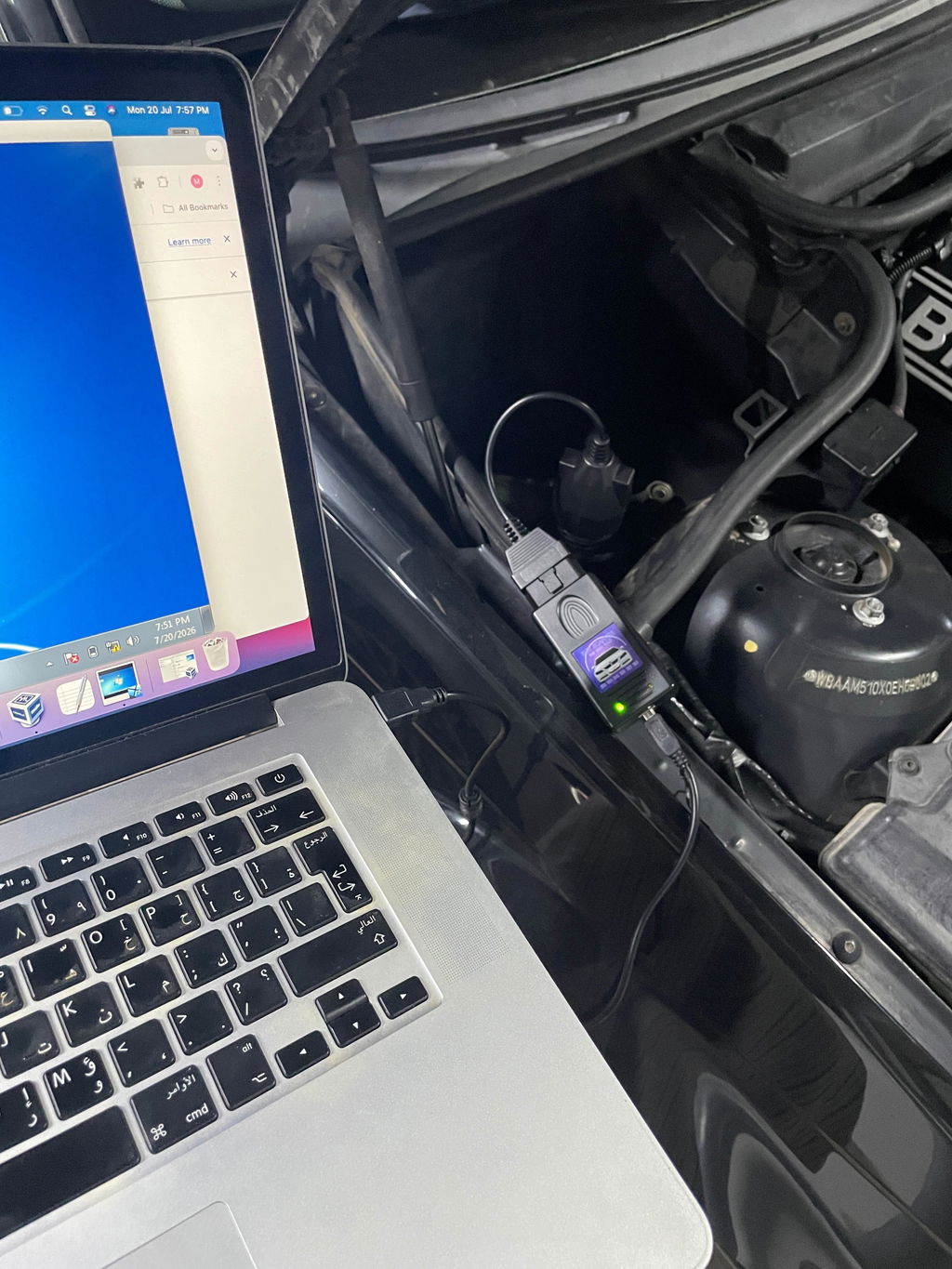
Bought an old laptop with Windows 7 just for this. The install of drivers and getting the software open was really easy and straight forward.